No dock. No hardware. No excuses.

The alarm that stops when you're actually up.

You can't silence it from bed. Alarm Shift turns off when you walk to a device you've chosen — your router, a speaker, your watch. Get up, walk over, done.

$1.99/month · 3-day free trial · No hardware to buy
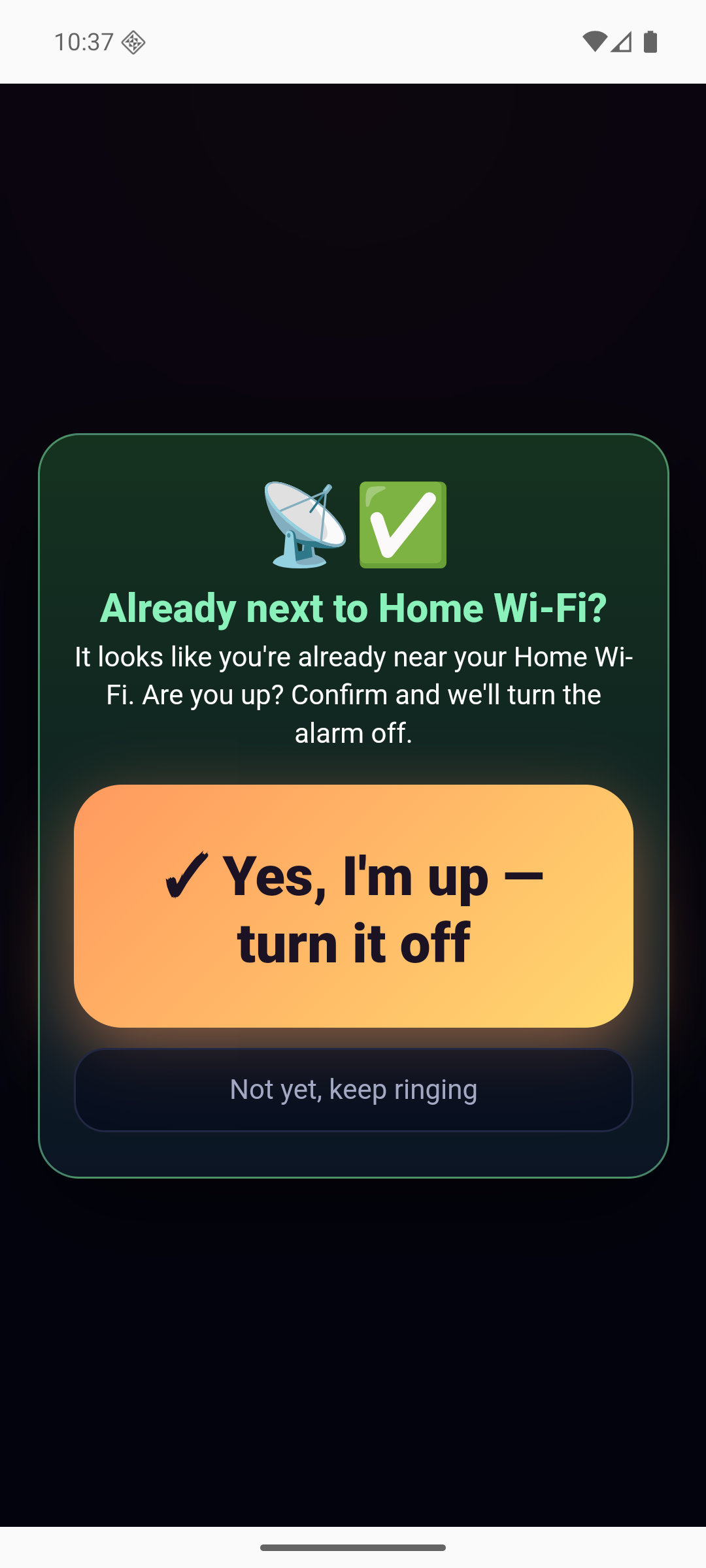
Alarm Shift asking to confirm you're near your Wi-Fi before turning the alarm off
Why Alarm Shift

Three reasons it beats a dock-based alarm

Most "get out of bed" alarms sell you a physical tag you have to buy, place, and never lose. We took the hardware out of the equation.

01

$1.99 a month. That's it.

No device to purchase, no shipping, no accessories. One small subscription and every feature is included, on every phone you own.

02

Nothing to buy or plug in

There's no dock to order, unbox, mount, or replace the battery in. Nothing to forget when you travel. Install the app and you're set tonight.

03

Any device becomes the trigger

Your Wi-Fi router, a smart speaker, your watch, your headphones — anything with Wi-Fi or Bluetooth in your home can be the thing you walk to.

How it works

Three steps, once.

Pick your wake-up device

Choose any Wi-Fi network or Bluetooth device in your home — ideally in a different room from your bed.

Calibrate in 30 seconds

The app reads the live signal, asks how far away you're standing, and learns what "near" means in your space. Every room is different.

Get up and walk over

When the alarm rings, walking to your device is what stops it. Stay in bed and it keeps going.

Alarm Shift clock screen showing the next alarm
A clock you can read without your glasses on.
Calibration reading live Wi-Fi signal strength
Calibration learns your room, not a generic average.
List of alarms with repeat days and sounds
Weekdays, weekends, gym days — set them once.
Works with what you already own

Wi-Fi, Bluetooth, or both

Pick whichever is furthest from your bed. The app reads signal strength — the same thing your phone uses to draw its Wi-Fi bars — and works out how close you actually are.

Alarm Shift Wi-Fi router setup showing a live signal reading of -50 dBm and an estimated distance of 30 cm
Wi-Fi router. Works with any router, on any phone. Live signal, real distance estimate, no pairing.
Alarm Shift Bluetooth setup for choosing a watch, earbuds or speaker as the wake-up device
Bluetooth device. A watch, earbuds or a speaker — anything that advertises Bluetooth can be the thing you walk to.

Advanced: bring your own sensor

Already running a Wi-Fi sensing node at home? Alarm Shift can read presence from a RuView device instead of raw signal strength — point the app at its address and it becomes your wake-up trigger. RuView is a separate open-source project (MIT), not made by us, and it's entirely optional.

Everything else

Built to wake you kindly

🗣️

It explains itself

If your alarm moved, it tells you why out loud, in plain language, instead of just going off early.

📅

Smart Shift

Optionally follows your calendar — earlier for a new early meeting, later when something is cancelled. Off by default.

🎵

Sounds that don't jolt

Soft piano, ocean waves, rain, a rooster — or record your own voice.

📊

Sleep history

See when it rang, how long you took to get up, and how that trends.

🔒

Genuinely private

No account, no servers, no analytics. Your data never leaves the phone.

🌍

Six languages

English, 中文, Español, Français, Deutsch, Русский.

Pricing

One price. No hardware.

Try it free for three days. Cancel any time.

$1.99 / month
  • Walk-to-dismiss with any Wi-Fi or Bluetooth device
  • Guided calibration for your room
  • Unlimited alarms and repeat schedules
  • Smart Shift calendar sync
  • Sleep history
  • All sounds, plus your own recordings
  • Six languages
Start the free trial
FAQ

Questions

Do I need to buy anything?

No. Alarm Shift uses the Wi-Fi and Bluetooth signals your phone can already see. There's no dock, tag, or accessory to purchase.

What can I use as my wake-up device?

Anything in your home that broadcasts Wi-Fi or Bluetooth — your router, a smart speaker, a TV, headphones, or a smartwatch. Pick something in another room so you actually have to get out of bed.

What if the signal reaches my bed?

That's what calibration solves. It measures the real signal and asks how far away you're standing, so "near" means near in your home rather than a generic threshold. You can also pick a device further away.

Does it work if the app is closed?

Yes. Alarms are scheduled with the operating system, so they fire even when the app isn't running or the phone has restarted.

Is my data collected?

No. There's no account and no server. Alarms, sleep history and calibration are stored only on your phone. Location permission is used solely to read Wi-Fi signal strength — the app doesn't use GPS or track where you are. See the privacy policy.

Which phones does it support?

Android 7.0 and newer. Wi-Fi proximity is available now; Bluetooth proximity is rolling out.

Set an alarm. Get up. That's it.

Three-day free trial, then $1.99/month.

Get it on Google Play

iPhone version coming soon.